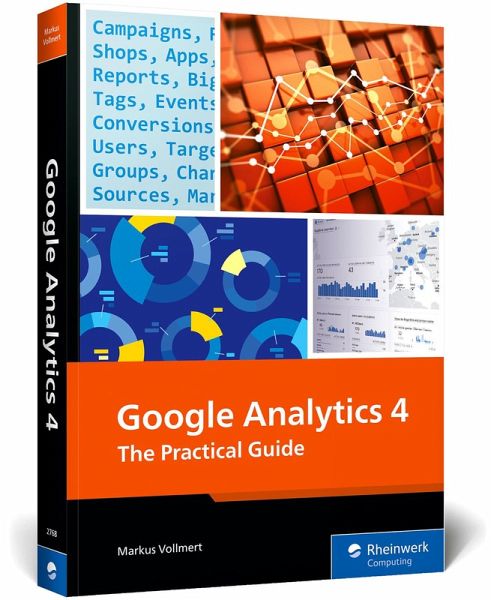
Frustrated by the complexities of Google Analytics 4? Let us show you the way! Whether this is your first foray into GA4 or you need a detailed guide to supplement your existing training, you'll get step-by-step instructions for your essential tasks. Learn to set up GA4, from creating an account to using custom definitions and defining conversions. See how to evaluate website users, manage campaigns, capture and evaluate online shopping information, and work with app data. With details on customizing reports, using BigQuery, troubleshooting errors, and administration, this really is your…mehr
Frustrated by the complexities of Google Analytics 4? Let us show you the way! Whether this is your first foray into GA4 or you need a detailed guide to supplement your existing training, you'll get step-by-step instructions for your essential tasks. Learn to set up GA4, from creating an account to using custom definitions and defining conversions. See how to evaluate website users, manage campaigns, capture and evaluate online shopping information, and work with app data. With details on customizing reports, using BigQuery, troubleshooting errors, and administration, this really is your one-stop shop for GA4!
Markus Vollmert is the founder and managing director of the Cologne-based digital marketing agency luna-park. luna-park supports clients from all industries in analytics and tag management and is a certified Google Analytics partner. Analyzing and tracking online users is Markus's mission, and he shares his knowledge not only through books but also as a speaker at numerous online marketing events.
Inhaltsangabe
1 ... Google Analytics 4 ... 17 1.1 ... What Does a Web Analytics System Do? ... 17 1.2 ... The New World of Measurement ... 21 1.3 ... Creating a Tracking Concept ... 38 1.4 ... Documentation and Online Help ... 40 1.5 ... Summary ... 42 2 ... Setting Up Google Analytics 4 ... 43 2.1 ... Creating an Account, a Property, and a Data Stream ... 43 2.2 ... Embedding Tags on Websites ... 51 2.3 ... Events in GA4 ... 62 2.4 ... Defining Key Events ... 74 2.5 ... Using Custom Definitions ... 80 2.6 ... Details of the Web Data Stream ... 84 2.7 ... Configuring Google Tag Settings ... 86 2.8 ... Summary ... 95 3 ... Analyzing Websites ... 97 3.1 ... The GA4 Home Page ... 97 3.2 ... Reports: Analyzing Users ... 103 3.3 ... Content: Events and Pages ... 121 3.4 ... Searching, Filtering, and Comparing ... 144 3.5 ... Summary ... 149 4 ... Controlling Campaigns ... 151 4.1 ... How Do Users Get to The Website? ... 152 4.2 ... Creating Audiences ... 173 4.3 ... Understanding Attribution in the Advertising Menu ... 182 4.4 ... Setting Up a Link with Google Ads ... 190 4.5 ... Linking Google Search Console with GA4 ... 198 4.6 ... Summary ... 201 5 ... Evaluating Stores ... 203 5.1 ... Evaluating E-Commerce Data ... 204 5.2 ... Measuring E-Commerce User Actions ... 229 5.3 ... Sample Accounts and Demos from Google ... 240 5.4 ... Summary ... 244 6 ... Analyzing Apps ... 245 6.1 ... Collecting User Data in Apps ... 246 6.2 ... Analyzing Content and Actions in Apps ... 250 6.3 ... Setting Up App Data Streams ... 266 6.4 ... Data Privacy during App Tracking ... 278 6.5 ... Checking and Debugging the Integration ... 282 6.6 ... Sending Messages via Firebase ... 286 6.7 ... Sample GA4 Account with App Data ... 292 6.8 ... Summary ... 293 7 ... Customizing and Creating Custom Reports ... 295 7.1 ... Customizing the Navigation in the Library ... 295 7.2 ... Creating and Editing Reports ... 299 7.3 ... Creating Exploratory Data Analyses ... 313 7.4 ... Summary ... 340 8 ... BigQuery and Looker Studio ... 341 8.1 ... Analyzing Raw Data Using BigQuery ... 342 8.2 ... Merging Looker Studio and GA4 ... 370 8.3 ... Summary ... 382 9 ... Error Analysis and Quality Assurance ... 383 9.1 ... Find a Google Tag on the Page ... 384 9.2 ... Performing Checks in Browser Developer Tools ... 387 9.3 ... Triggers and Events in Tag Assistant ... 396 9.4 ... Inbound Events in the GA4 DebugView ... 403 9.5 ... Monitoring the Quality of Data in GA4 ... 406 9.6 ... Cookies and Browser Privacy ... 410 9.7 ... Frequent Issues in GA4 ... 414 9.8 ... Relaunch or Move ... 420 9.9 ... Summary ... 422 10 ... Administration and Management ... 423 10.1 ... Account and Property Management ... 423 10.2 ... Data Collection and Modification ... 429 10.3 ... Data Display ... 445 10.4 ... Links and API Access ... 451 10.5 ... Setting Up User Permissions via the Google Marketing Platform ... 454 10.6 ... Server-Side Tagging ... 464 10.7 ... Google Analytics 360 for GA4 ... 465 10.8 ... Summary ... 467 ... The Author ... 469 ... Index ... 471
1 ... Google Analytics 4 ... 17 1.1 ... What Does a Web Analytics System Do? ... 17 1.2 ... The New World of Measurement ... 21 1.3 ... Creating a Tracking Concept ... 38 1.4 ... Documentation and Online Help ... 40 1.5 ... Summary ... 42 2 ... Setting Up Google Analytics 4 ... 43 2.1 ... Creating an Account, a Property, and a Data Stream ... 43 2.2 ... Embedding Tags on Websites ... 51 2.3 ... Events in GA4 ... 62 2.4 ... Defining Key Events ... 74 2.5 ... Using Custom Definitions ... 80 2.6 ... Details of the Web Data Stream ... 84 2.7 ... Configuring Google Tag Settings ... 86 2.8 ... Summary ... 95 3 ... Analyzing Websites ... 97 3.1 ... The GA4 Home Page ... 97 3.2 ... Reports: Analyzing Users ... 103 3.3 ... Content: Events and Pages ... 121 3.4 ... Searching, Filtering, and Comparing ... 144 3.5 ... Summary ... 149 4 ... Controlling Campaigns ... 151 4.1 ... How Do Users Get to The Website? ... 152 4.2 ... Creating Audiences ... 173 4.3 ... Understanding Attribution in the Advertising Menu ... 182 4.4 ... Setting Up a Link with Google Ads ... 190 4.5 ... Linking Google Search Console with GA4 ... 198 4.6 ... Summary ... 201 5 ... Evaluating Stores ... 203 5.1 ... Evaluating E-Commerce Data ... 204 5.2 ... Measuring E-Commerce User Actions ... 229 5.3 ... Sample Accounts and Demos from Google ... 240 5.4 ... Summary ... 244 6 ... Analyzing Apps ... 245 6.1 ... Collecting User Data in Apps ... 246 6.2 ... Analyzing Content and Actions in Apps ... 250 6.3 ... Setting Up App Data Streams ... 266 6.4 ... Data Privacy during App Tracking ... 278 6.5 ... Checking and Debugging the Integration ... 282 6.6 ... Sending Messages via Firebase ... 286 6.7 ... Sample GA4 Account with App Data ... 292 6.8 ... Summary ... 293 7 ... Customizing and Creating Custom Reports ... 295 7.1 ... Customizing the Navigation in the Library ... 295 7.2 ... Creating and Editing Reports ... 299 7.3 ... Creating Exploratory Data Analyses ... 313 7.4 ... Summary ... 340 8 ... BigQuery and Looker Studio ... 341 8.1 ... Analyzing Raw Data Using BigQuery ... 342 8.2 ... Merging Looker Studio and GA4 ... 370 8.3 ... Summary ... 382 9 ... Error Analysis and Quality Assurance ... 383 9.1 ... Find a Google Tag on the Page ... 384 9.2 ... Performing Checks in Browser Developer Tools ... 387 9.3 ... Triggers and Events in Tag Assistant ... 396 9.4 ... Inbound Events in the GA4 DebugView ... 403 9.5 ... Monitoring the Quality of Data in GA4 ... 406 9.6 ... Cookies and Browser Privacy ... 410 9.7 ... Frequent Issues in GA4 ... 414 9.8 ... Relaunch or Move ... 420 9.9 ... Summary ... 422 10 ... Administration and Management ... 423 10.1 ... Account and Property Management ... 423 10.2 ... Data Collection and Modification ... 429 10.3 ... Data Display ... 445 10.4 ... Links and API Access ... 451 10.5 ... Setting Up User Permissions via the Google Marketing Platform ... 454 10.6 ... Server-Side Tagging ... 464 10.7 ... Google Analytics 360 for GA4 ... 465 10.8 ... Summary ... 467 ... The Author ... 469 ... Index ... 471
Es gelten unsere Allgemeinen Geschäftsbedingungen: www.buecher.de/agb
Impressum
www.buecher.de ist ein Internetauftritt der buecher.de internetstores GmbH
Geschäftsführung: Monica Sawhney | Roland Kölbl | Günter Hilger
Sitz der Gesellschaft: Batheyer Straße 115 - 117, 58099 Hagen
Postanschrift: Bürgermeister-Wegele-Str. 12, 86167 Augsburg
Amtsgericht Hagen HRB 13257
Steuernummer: 321/5800/1497
USt-IdNr: DE450055826