A practical, step-by-step guide to Maya 2011 Four previous editions can't be wrong: this book is the perfect introduction to 3D and Maya. Learn to build and animate your own digital models and scenes with step-by-step instruction and fun and practical examples, while you draw inspiration from the striking examples included from talented Maya users. You'll create a simple animation of the planets in the solar system, learn to model a human hand and a decorative box-among other projects-and master all essential tools. * Provides a thorough, step-by-step introduction to Maya 2011 * Explains the…mehr
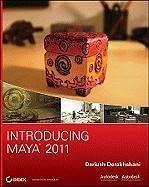
A practical, step-by-step guide to Maya 2011 Four previous editions can't be wrong: this book is the perfect introduction to 3D and Maya. Learn to build and animate your own digital models and scenes with step-by-step instruction and fun and practical examples, while you draw inspiration from the striking examples included from talented Maya users. You'll create a simple animation of the planets in the solar system, learn to model a human hand and a decorative box-among other projects-and master all essential tools. * Provides a thorough, step-by-step introduction to Maya 2011 * Explains the core concepts of CG and working in 3D * Covers modeling, rigging, HDRI lighting, mental ray rendering, and more * Provides project files on CD and walks you through the creation of several projects; the CD also includes images, movies, and scene files * Includes a color insert with pages of striking examples from talented Maya beginners Build your Maya and animation skills from the ground up with this practical, thorough guide. Note: CD-ROM/DVD and other supplementary materials are not included as part of eBook file. For Instructors: Teaching supplements are available for this title.
Dariush Derakhshani is an award-winning visual effects supervisor, author, and educator. He has worked on movies such as The Fantastic Four and Pan's Labyrinth, the South Park TV series, and countless commercials and music videos. He teaches Maya and 3D animation, and is the author of all the Introducing Maya books as well as coauthor of Mastering Maya 8.5 and Introducing 3ds Max 2008, all from Sybex.
Inhaltsangabe
Introduction xv Chapter 1 Introduction to Computer Graphics and 3D 1 Art? 2 Computer Graphics 2 The Stages of Production 4 The CG Production Workflow 8 Core Concepts 12 Basic Film Concepts 24 Summary 30 Chapter 2 Jumping in Headfirst, with Both Feet 31 You Put the U in UI 32 Project Overview: The Solar System 37 The Preproduction Process: Planning 37 Creating a Project 38 The Production Process: Creating and Animating the Objects 40 Hierarchy and Maya Object Structure 54 The Solar System Resumed 57 Outputting Your Work: Playblasting 65 Summary 67 Chapter 3 The Maya 2011 Interface 69 Navigating in Maya 70 Maya's Layout 70 Panels and Frequently Used Windows 82 Customizing Maya 99 Summary 103 Chapter 4 Beginning Polygonal Modeling 105 Planning Your Model 106 Polygon Basics 112 Poly Editing Tools 115 Putting the Tools to Use: Making a Simple Hand 119 Creating Areas of Detail on a Poly Mesh 125 Modeling Complex Objects: The Classic Steam Locomotive 134 Suggestions for Modeling Polygons 157 Summary 157 Chapter 5 Modeling with NURBS, Subdivisions, and Deformers 159 NURBS! 160 Using NURBS Surfacing to Create Polygons 171 Converting a NURBS Model to Polygons 173 Editing NURBS Surfaces 174 Patch Modeling: A Locomotive Detail 177 Using Artisan to Sculpt NURBS 188 Modeling with Simple Deformers 190 The Lattice Deformer 196 Animating through a Lattice 200 Subdivision Surfaces 203 Creating a Starfish 204 Building a Teakettle 209 Summary 217 Chapter 6 Practical Experience 219 Beginning the Wagon Project 220 Using Reference Planes 220 Modeling the Side Panels 227 Modeling the Wagon Body 249 Inserting the Handlebar 254 Modeling the Wheels 258 Modeling the Wood Railings 264 Adding Extra Details 274 Building a Decorative Box 280 Summary 291 Chapter 7 Maya Shading and Texturing 293 Maya Shading 294 Shader Types 294 Shader Attributes 298 Texturing the Axe 302 Textures and Surfaces 310 Texturing the Red Wagon 320 Photoreal Mapping: The Decorative Box 352 For Further Study 371 Summary 371 Chapter 8 Introduction to Animation 373 Keyframe Animation-Bouncing a Ball 374 Throwing an Axe 384 Replacing an Object 400 Animating Flying Text 402 Rigging the Locomotive, Part 1 406 Animating a Catapult 408 Summary 414 Chapter 9 More Animation! 417 Skeletons and Kinematics 418 Skeletons: The Hand 431 Inverse Kinematics 446 Basic Relationships: Constraints 450 Basic Relationships: Set-Driven Keys 454 Application: Rigging the Locomotive 458 Summary 466 Chapter 10 Maya Lighting 467 Basic Lighting Concepts 468 Maya Lights 472 Light Linking 478 Adding Shadows 479 Raytracing Soft Shadows 483 Mental ray Lighting 484 Mental ray Physical Sun and Sky 486 Lighting Effects 491 Lighting the Decorative Box 495 Further Lighting Practice 501 Tips for Using and Animating Lights 502 Summary 504 Chapter 11 Maya Rendering 505 Rendering Setup 506 Previewing Your Render: The Render View Window 515 Reflections and Refractions 517 Using Cameras 519 Motion Blur 525 Batch Rendering 526 Rendering the Wine Bottle 527 Mental ray for Maya 531 Render Layers 537 Final Gather 546 Ambient Occlusion 549 HDRI 557 Rendering the Decorative Box 559 Summary 573 Chapter 12 Maya Dynamics and Effects 575 An Overview of Dynamics and Maya Nucleus 576 Rigid and Soft Dynamic Bodies 576 Animating with Dynamics: The Pool Table 580 nParticle Dynamics 590 Emitting nParticles 590 Animating a Particle Effect: Locomotive Steam 596 Introduction to Paint Effects 605 Toon Shading 608 Summary 612 Where Do You Go from Here? 612 Appendix About the Companion CD 613 Index 617
Introduction xv Chapter 1 Introduction to Computer Graphics and 3D 1 Art? 2 Computer Graphics 2 The Stages of Production 4 The CG Production Workflow 8 Core Concepts 12 Basic Film Concepts 24 Summary 30 Chapter 2 Jumping in Headfirst, with Both Feet 31 You Put the U in UI 32 Project Overview: The Solar System 37 The Preproduction Process: Planning 37 Creating a Project 38 The Production Process: Creating and Animating the Objects 40 Hierarchy and Maya Object Structure 54 The Solar System Resumed 57 Outputting Your Work: Playblasting 65 Summary 67 Chapter 3 The Maya 2011 Interface 69 Navigating in Maya 70 Maya's Layout 70 Panels and Frequently Used Windows 82 Customizing Maya 99 Summary 103 Chapter 4 Beginning Polygonal Modeling 105 Planning Your Model 106 Polygon Basics 112 Poly Editing Tools 115 Putting the Tools to Use: Making a Simple Hand 119 Creating Areas of Detail on a Poly Mesh 125 Modeling Complex Objects: The Classic Steam Locomotive 134 Suggestions for Modeling Polygons 157 Summary 157 Chapter 5 Modeling with NURBS, Subdivisions, and Deformers 159 NURBS! 160 Using NURBS Surfacing to Create Polygons 171 Converting a NURBS Model to Polygons 173 Editing NURBS Surfaces 174 Patch Modeling: A Locomotive Detail 177 Using Artisan to Sculpt NURBS 188 Modeling with Simple Deformers 190 The Lattice Deformer 196 Animating through a Lattice 200 Subdivision Surfaces 203 Creating a Starfish 204 Building a Teakettle 209 Summary 217 Chapter 6 Practical Experience 219 Beginning the Wagon Project 220 Using Reference Planes 220 Modeling the Side Panels 227 Modeling the Wagon Body 249 Inserting the Handlebar 254 Modeling the Wheels 258 Modeling the Wood Railings 264 Adding Extra Details 274 Building a Decorative Box 280 Summary 291 Chapter 7 Maya Shading and Texturing 293 Maya Shading 294 Shader Types 294 Shader Attributes 298 Texturing the Axe 302 Textures and Surfaces 310 Texturing the Red Wagon 320 Photoreal Mapping: The Decorative Box 352 For Further Study 371 Summary 371 Chapter 8 Introduction to Animation 373 Keyframe Animation-Bouncing a Ball 374 Throwing an Axe 384 Replacing an Object 400 Animating Flying Text 402 Rigging the Locomotive, Part 1 406 Animating a Catapult 408 Summary 414 Chapter 9 More Animation! 417 Skeletons and Kinematics 418 Skeletons: The Hand 431 Inverse Kinematics 446 Basic Relationships: Constraints 450 Basic Relationships: Set-Driven Keys 454 Application: Rigging the Locomotive 458 Summary 466 Chapter 10 Maya Lighting 467 Basic Lighting Concepts 468 Maya Lights 472 Light Linking 478 Adding Shadows 479 Raytracing Soft Shadows 483 Mental ray Lighting 484 Mental ray Physical Sun and Sky 486 Lighting Effects 491 Lighting the Decorative Box 495 Further Lighting Practice 501 Tips for Using and Animating Lights 502 Summary 504 Chapter 11 Maya Rendering 505 Rendering Setup 506 Previewing Your Render: The Render View Window 515 Reflections and Refractions 517 Using Cameras 519 Motion Blur 525 Batch Rendering 526 Rendering the Wine Bottle 527 Mental ray for Maya 531 Render Layers 537 Final Gather 546 Ambient Occlusion 549 HDRI 557 Rendering the Decorative Box 559 Summary 573 Chapter 12 Maya Dynamics and Effects 575 An Overview of Dynamics and Maya Nucleus 576 Rigid and Soft Dynamic Bodies 576 Animating with Dynamics: The Pool Table 580 nParticle Dynamics 590 Emitting nParticles 590 Animating a Particle Effect: Locomotive Steam 596 Introduction to Paint Effects 605 Toon Shading 608 Summary 612 Where Do You Go from Here? 612 Appendix About the Companion CD 613 Index 617
Es gelten unsere Allgemeinen Geschäftsbedingungen: www.buecher.de/agb
Impressum
www.buecher.de ist ein Internetauftritt der buecher.de internetstores GmbH
Geschäftsführung: Monica Sawhney | Roland Kölbl | Günter Hilger
Sitz der Gesellschaft: Batheyer Straße 115 - 117, 58099 Hagen
Postanschrift: Bürgermeister-Wegele-Str. 12, 86167 Augsburg
Amtsgericht Hagen HRB 13257
Steuernummer: 321/5800/1497
USt-IdNr: DE450055826