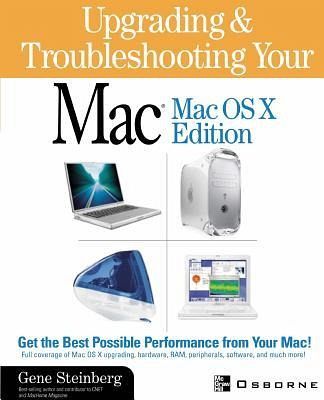
The magic of the Mac is back! Mac OS X is a truly revolutionary operating system that has great flexibility and functionality. Author Gene Steinberg shows readers how to tap techniques of IT professionals to make your Mac run at top efficiency.
The magic of the Mac is back! Mac OS X is a truly revolutionary operating system that has great flexibility and functionality. Author Gene Steinberg shows readers how to tap techniques of IT professionals to make your Mac run at top efficiency.
Gene Steingberg is an accomplished author with a number of Mac books to his credit. He is a contributing writer for MacHome, a columnist for the Arizona Republic's Arizona Central Computing page, and a regularly featured guest on Craig Crossman's Computer American radio show. In addition, he and his teenaged son, Grayson, have developed a new science fiction adventure series, Attack of the Rockoids.
Inhaltsangabe
1 Solving Mac Hookup Problems 2 How to Cope with System Software Hassles 3 The Mac Upgrade Guide: Peripheral Cards 4 The Mac Upgrade Guide: Dealing with RAM Upgrade Pitfalls 5 Troubleshooting Macs on the Road 6 The Weird World of Fonts 7 Dealing with Graphic File Headaches 8 Making Your Printer Sing 9 Troubleshooting Mice, Joysticks, and Keyboards 10 The Monitor Is the Window of the Computer World 11 Help with Mixed Mac/Windows Offices 12 Do You Have a Computer Virus? 13 Keeping Your Hard Drive Healthy and Happy 14 Foolproof Backup Techniques Explained 15 Storage Device Technologies: Dealing with SCSI Chain Hassles 16 Making Your New Scanner Work Better 17 Overcoming the Network Hassle 18 Adding System Utilities and Overcoming System Conflicts 19 How to Make Video Capture Hardware Work 20 Making the Modem Connection 21 Dealing with Internet Access Problems 22 Making Your Web Browser Browse 23 Making Email Work for You Appendix: QuickStart Upgrade and Troubleshooting Guide Glossary
1 Solving Mac Hookup Problems 2 How to Cope with System Software Hassles 3 The Mac Upgrade Guide: Peripheral Cards 4 The Mac Upgrade Guide: Dealing with RAM Upgrade Pitfalls 5 Troubleshooting Macs on the Road 6 The Weird World of Fonts 7 Dealing with Graphic File Headaches 8 Making Your Printer Sing 9 Troubleshooting Mice, Joysticks, and Keyboards 10 The Monitor Is the Window of the Computer World 11 Help with Mixed Mac/Windows Offices 12 Do You Have a Computer Virus? 13 Keeping Your Hard Drive Healthy and Happy 14 Foolproof Backup Techniques Explained 15 Storage Device Technologies: Dealing with SCSI Chain Hassles 16 Making Your New Scanner Work Better 17 Overcoming the Network Hassle 18 Adding System Utilities and Overcoming System Conflicts 19 How to Make Video Capture Hardware Work 20 Making the Modem Connection 21 Dealing with Internet Access Problems 22 Making Your Web Browser Browse 23 Making Email Work for You Appendix: QuickStart Upgrade and Troubleshooting Guide Glossary
Es gelten unsere Allgemeinen Geschäftsbedingungen: www.buecher.de/agb
Impressum
www.buecher.de ist ein Internetauftritt der buecher.de internetstores GmbH
Geschäftsführung: Monica Sawhney | Roland Kölbl | Günter Hilger
Sitz der Gesellschaft: Batheyer Straße 115 - 117, 58099 Hagen
Postanschrift: Bürgermeister-Wegele-Str. 12, 86167 Augsburg
Amtsgericht Hagen HRB 13257
Steuernummer: 321/5800/1497
USt-IdNr: DE450055826

![Windows XP: A Tutorial to Accompany Peter Norton's Introduction to Computers [With CDROM]](https://bilder.buecher.de/produkte/23/23275/23275338m.jpg "Windows XP: A Tutorial to Accompany Peter Norton's Introduction to Computers [With CDROM]")