6,99 €
inkl. MwSt.
Sofort per Download lieferbar
0 °P sammeln

Andere Kunden interessierten sich auch für
") Guide d'utilisation du MacBook Pro M5 pour Débutants (eBook, ePUB)6,99 €
Guide d'utilisation du MacBook Pro M5 pour Débutants (eBook, ePUB)6,99 €") Guía del usuario del MacBook Pro M5 para Principiantes (eBook, ePUB)6,99 €
Guía del usuario del MacBook Pro M5 para Principiantes (eBook, ePUB)6,99 €") Guida Utente per Principianti del MacBook Pro M5 (eBook, ePUB)6,99 €
Guida Utente per Principianti del MacBook Pro M5 (eBook, ePUB)6,99 €") MacBook Pro M5 Benutzerhandbuch für Anfänger (eBook, ePUB)6,99 €
MacBook Pro M5 Benutzerhandbuch für Anfänger (eBook, ePUB)6,99 €") Guía del usuario del iPad Pro M5 para Principiantes (eBook, ePUB)6,99 €
Guía del usuario del iPad Pro M5 para Principiantes (eBook, ePUB)6,99 €") iPad Pro M5 User Guide for Beginners (eBook, ePUB)6,99 €
iPad Pro M5 User Guide for Beginners (eBook, ePUB)6,99 €") Guide d'utilisation de l'iPad Pro M5 pour débutants (eBook, ePUB)6,99 €
Guide d'utilisation de l'iPad Pro M5 pour débutants (eBook, ePUB)6,99 €





Meet the MacBook Pro M5 the way Apple meant you to - fast, secure, personalized, and actually easy to use.
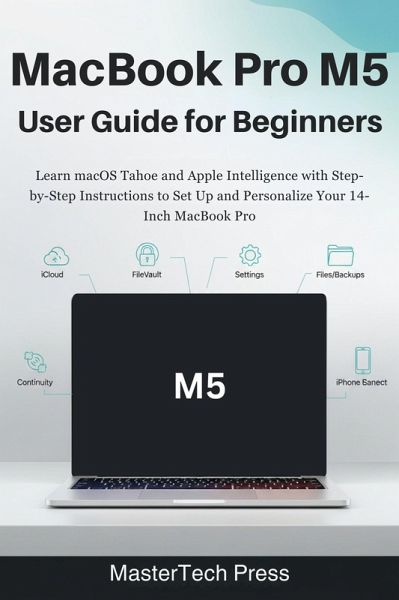
MacBook Pro M5 User Guide for Beginners is your no-fluff companion for getting up and running in hours, not weeks. If you just bought a new 14-inch MacBook Pro (or you're helping someone who did), this book shows you exactly what to do, in what order, and why it matters.
Confused by the new macOS Tahoe layout, Apple Intelligence features, or all the iCloud syncing options?
This guide breaks everything down in plain English, with real-life examples, beginner-friendly steps, and screen-by-screen explanations.
Imagine a MacBook that opens with Touch ID, syncs with your iPhone, organizes your files automatically, protects your data with FileVault, and backs up without you thinking about it. That's what this book helps you build.
Grab this guide now and make your MacBook Pro work for you from day one.
Inside, you will discover how to:
MacBook Pro M5 User Guide for Beginners is your no-fluff companion for getting up and running in hours, not weeks. If you just bought a new 14-inch MacBook Pro (or you're helping someone who did), this book shows you exactly what to do, in what order, and why it matters.
Confused by the new macOS Tahoe layout, Apple Intelligence features, or all the iCloud syncing options?
This guide breaks everything down in plain English, with real-life examples, beginner-friendly steps, and screen-by-screen explanations.
Imagine a MacBook that opens with Touch ID, syncs with your iPhone, organizes your files automatically, protects your data with FileVault, and backs up without you thinking about it. That's what this book helps you build.
Grab this guide now and make your MacBook Pro work for you from day one.
Inside, you will discover how to:
- Unbox, set up, and update your 14-inch MacBook Pro the right way
- Master the macOS Tahoe desktop, Dock, Finder, Spotlight, Mission Control, and Stage Manager
- Use Apple Intelligence to summarize, rewrite, and generate content on-device
- Connect your iPhone, iPad, AirDrop, Universal Clipboard, and Instant Hotspot for seamless workflows
- Customize the Dock, Control Center, Hot Corners, trackpad, and keyboard to match your style
- Keep files organized with Desktop, Documents, Tags, Smart Folders, and iCloud Drive
- Protect your Mac with FileVault, Touch ID, screen lock, and Find My
- Improve performance and battery life with simple maintenance steps
- Fix common problems fast with the built-in troubleshooting tools
- Safely share the Mac with family using Screen Time and Family Sharing
Dieser Download kann aus rechtlichen Gründen nur mit Rechnungsadresse in A, B, CY, D, DK, EW, E, FIN, F, GR, IRL, I, L, M, NL, P, S, SLO, SK ausgeliefert werden.