Dieser Download kann aus rechtlichen Gründen nur mit Rechnungsadresse in A, B, BG, CY, CZ, D, DK, EW, E, FIN, F, GR, HR, H, IRL, I, LT, L, LR, M, NL, PL, P, R, S, SLO, SK ausgeliefert werden.
Herstellerkennzeichnung
Die Herstellerinformationen sind derzeit nicht verfügbar.
Autorenporträt
Adam Freeman is an experienced IT professional who has held senior positions in a range of companies, most recently serving as chief technology officer and chief operating officer of a global bank. Now retired, he spends his time writing and long-distance running.
Inhaltsangabe
Part 1
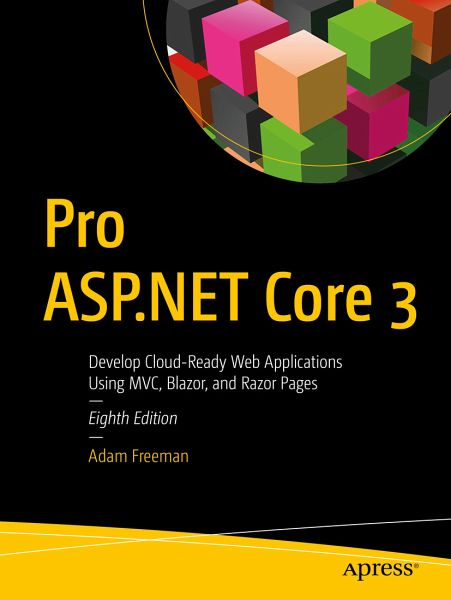
1. Putting ASP.NET Core into Context 2. Getting Started 3. Your First ASP.NET Core Application 4. Using the Development Tools 5. Essential C# Features 6. Unit Testing ASP.NET Core Applications 7. SportsStore 8. SportsStore: Navigation & Cart 9. SportsStore: Completing the Cart 10. SportsStore: Adminstration 11. SportsStore: Security & Deployment
Part 2
12. Understanding the ASP.NET Core Platform 13. Using URL Routing 14. Using Dependency Injection 15. Using the Platform Features, Part 1 16. Using the Platform Features, Part 2 17. Working with Data
Part 3
18. Creating the Example Project 19. Creating RESTFul Web Services 20. Advanced Web Service Features 21. Using Controllers with Views 22. Using Controllers with Views, Part 2 23. Using Razor Pages 24. Using View Components 25. Using Tag Helpers 26. Using the Built-In Tag Helpers 27. Using the Forms Tag Helpers 28. Using Model Binding 29. Using Model Validation 30. Using Filters 31. Creating Form Applications
Part 4
32. Creating the Example Application 33. Using Blazor Server, Part 1 34. Using Blazor Server Part 2 35. Advanced Blazor Features 36. Blazor Forms and Data 37. Blazor Web Assembly 38. Using ASP.NET Core Identity39. Applying ASP.NET Core Identity
1. Putting ASP.NET Core into Context 2. Getting Started 3. Your First ASP.NET Core Application 4. Using the Development Tools 5. Essential C# Features 6. Unit Testing ASP.NET Core Applications 7. SportsStore 8. SportsStore: Navigation & Cart 9. SportsStore: Completing the Cart 10. SportsStore: Adminstration 11. SportsStore: Security & Deployment
Part 2
12. Understanding the ASP.NET Core Platform 13. Using URL Routing 14. Using Dependency Injection 15. Using the Platform Features, Part 1 16. Using the Platform Features, Part 2 17. Working with Data
Part 3
18. Creating the Example Project 19. Creating RESTFul Web Services 20. Advanced Web Service Features 21. Using Controllers with Views 22. Using Controllers with Views, Part 2 23. Using Razor Pages 24. Using View Components 25. Using Tag Helpers 26. Using the Built-In Tag Helpers 27. Using the Forms Tag Helpers 28. Using Model Binding 29. Using Model Validation 30. Using Filters 31. Creating Form Applications
Part 4
32. Creating the Example Application 33. Using Blazor Server, Part 1 34. Using Blazor Server Part 2 35. Advanced Blazor Features 36. Blazor Forms and Data 37. Blazor Web Assembly 38. Using ASP.NET Core Identity39. Applying ASP.NET Core Identity
Es gelten unsere Allgemeinen Geschäftsbedingungen: www.buecher.de/agb
Impressum
www.buecher.de ist ein Internetauftritt der buecher.de internetstores GmbH
Geschäftsführung: Monica Sawhney | Roland Kölbl | Günter Hilger
Sitz der Gesellschaft: Batheyer Straße 115 - 117, 58099 Hagen
Postanschrift: Bürgermeister-Wegele-Str. 12, 86167 Augsburg
Amtsgericht Hagen HRB 13257
Steuernummer: 321/5800/1497
USt-IdNr: DE450055826