4,99 €
4,99 €
inkl. MwSt.
Sofort per Download lieferbar

2 °P sammeln
4,99 €
Als Download kaufen
4,99 €
inkl. MwSt.
Sofort per Download lieferbar
2 °P sammeln
Jetzt verschenken
Alle Infos zum eBook verschenken
4,99 €
inkl. MwSt.
Sofort per Download lieferbar
Alle Infos zum eBook verschenken
2 °P sammeln

Andere Kunden interessierten sich auch für
 (eBook, PDF)") Using BusyBox (Digital Short Cut) (eBook, PDF)12,95 €
Using BusyBox (Digital Short Cut) (eBook, PDF)12,95 € (eBook, PDF)") Performing an Active Directory Health Check (Digital Short Cut) (eBook, PDF)6,99 €
Performing an Active Directory Health Check (Digital Short Cut) (eBook, PDF)6,99 €") SUSE Linux 10 For Dummies (eBook, PDF)19,99 €
SUSE Linux 10 For Dummies (eBook, PDF)19,99 €") SUSE Linux 9.3 For Dummies (eBook, PDF)20,99 €
SUSE Linux 9.3 For Dummies (eBook, PDF)20,99 €") Linux (eBook, PDF)59,99 €
Linux (eBook, PDF)59,99 €") SUSE Linux 9 Bible (eBook, PDF)36,40 €
SUSE Linux 9 Bible (eBook, PDF)36,40 €") OpenSUSE 11.0 and SUSE Linux Enterprise Server Bible (eBook, PDF)32,99 €
OpenSUSE 11.0 and SUSE Linux Enterprise Server Bible (eBook, PDF)32,99 €



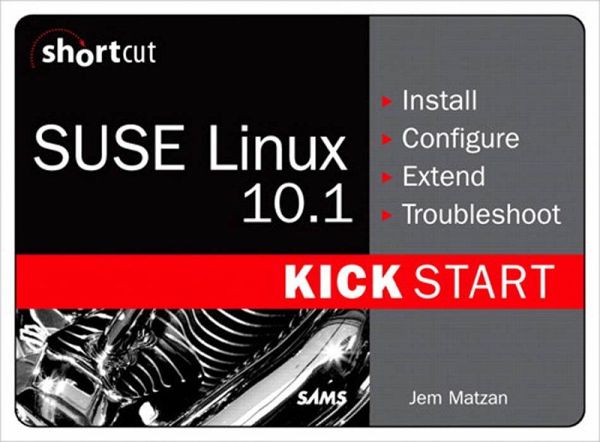
SUSE Linux 10.1 Kick Start is a quick, task-oriented electronic guide to installing, configuring, extending and troubleshooting the hot new SUSE Linux 10.1 distribution and its most important new features -- including the awe-inspiring XGL 3D graphics for the desktop and handy NetManager utility for trouble-free wi-fi access anywhere. Delivered in Adobe PDF format for quick and easy access, SUSE Linux 10.1 Kick Start is an electronic resource that clearly and concisely shows new SUSE 10.1 users how to get installation and configuration right the first time. No long and windy discussions of the politics of open source, no painfully slow walkthroughs of already intuitive desktop software -- just a to-the-point, ultra-accessible guide showing the steps to take to successfully install and configure SUSE Linux 10.1 for desktop computing.
Table of Contents
1 Introducing SUSE Linux 10.1
1.1 The different versions of SUSE Linux
1.2 Changes since SUSE Linux 10.0
1.3 Release information, supported architectures, and system requirements
1.4 Licensing and rights: what you can and can't do with SUSE Linux
2 Installing SUSE Linux 10.1
2.1 32-bit or 64-bit?
2.2 Upgrade tips and information
2.3 Switching from other GNU/Linux distributions
2.4 Switching from Microsoft Windows
2.5 Preinstall checklist
2.6 Booting from the installation media
2.7 Installer configuration options
2.8 Drive partitioning
2.9 Selecting software packages
2.10 Finalizing your settings
2.11 Hostname, Root Password, Networking, and Users
2.12 Release notes
2.13 Graphics, printers, and sound card configuration
2.14 First boot
3 Post-install configuration
3.1 Configuring your computer with YaST and SaX
3.2 Networking and modems
3.3 Installation sources
3.4 Staying up to date
3.5 Installing the ATI video driver
3.6 Installing the Nvidia video driver
3.7 DVD video playback for 32-bit systems
3.8 DVD video playback for 64-bit systems
3.9 Playing Windows media files
3.10 Adding more software
3.11 Enhancing your graphics with XGL and Compiz
3.12 Printing
3.13 Sound configuration
3.14 Setting up email
4 Transferring data from Microsoft Windows
4.1 Mass transfer of data and settings from Microsoft Windows
4.2 Data destinations: where to put your files
4.3 Moving old email from Windows
4.4 Moving system fonts from Windows
4.5 Using MS Office documents in SUSE 10.1
5 Where to go for help
5.1 Web links
5.2 Related books and further reading
Table of Contents
1 Introducing SUSE Linux 10.1
1.1 The different versions of SUSE Linux
1.2 Changes since SUSE Linux 10.0
1.3 Release information, supported architectures, and system requirements
1.4 Licensing and rights: what you can and can't do with SUSE Linux
2 Installing SUSE Linux 10.1
2.1 32-bit or 64-bit?
2.2 Upgrade tips and information
2.3 Switching from other GNU/Linux distributions
2.4 Switching from Microsoft Windows
2.5 Preinstall checklist
2.6 Booting from the installation media
2.7 Installer configuration options
2.8 Drive partitioning
2.9 Selecting software packages
2.10 Finalizing your settings
2.11 Hostname, Root Password, Networking, and Users
2.12 Release notes
2.13 Graphics, printers, and sound card configuration
2.14 First boot
3 Post-install configuration
3.1 Configuring your computer with YaST and SaX
3.2 Networking and modems
3.3 Installation sources
3.4 Staying up to date
3.5 Installing the ATI video driver
3.6 Installing the Nvidia video driver
3.7 DVD video playback for 32-bit systems
3.8 DVD video playback for 64-bit systems
3.9 Playing Windows media files
3.10 Adding more software
3.11 Enhancing your graphics with XGL and Compiz
3.12 Printing
3.13 Sound configuration
3.14 Setting up email
4 Transferring data from Microsoft Windows
4.1 Mass transfer of data and settings from Microsoft Windows
4.2 Data destinations: where to put your files
4.3 Moving old email from Windows
4.4 Moving system fonts from Windows
4.5 Using MS Office documents in SUSE 10.1
5 Where to go for help
5.1 Web links
5.2 Related books and further reading
Dieser Download kann aus rechtlichen Gründen nur mit Rechnungsadresse in A, B, BG, CY, CZ, D, DK, EW, E, FIN, F, GR, HR, H, IRL, I, LT, L, LR, M, NL, PL, P, R, S, SLO, SK ausgeliefert werden.